

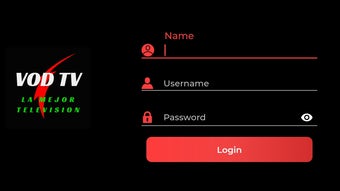
Description
Download VOD TV Player APK – video streaming, VOD TV Player, Android app, free video player, XTREAM-CODES API, Chromecast support, parental control, recording feature, external player, playlist management, favorites, mobile streaming, online TV, on-demand content
Overview
VOD TV Player is a dedicated Android application designed for users seeking a seamless and customizable video streaming experience. Developed by Cristian Rocha Cid, the app enables access to on-demand content through XTREAM-CODES API integration, allowing users to connect to their preferred video streaming services directly from their mobile devices. The software serves as a unified platform for consuming online TV, movies, series, and other media, making it ideal for individuals who value flexibility and control over their viewing habits. Target users include casual viewers, tech-savvy consumers, and those managing personal streaming libraries. The app supports offline playback and content organization, catering to users who prefer to stream content on the go or in environments with limited connectivity. Its interface is designed for intuitive navigation, ensuring accessibility across different age groups. While the developer did not provide additional details about the app’s development background or broader ecosystem, its core functionality centers around reliable media playback and user customization. Real-world use cases include watching live and recorded shows, managing personal playlists, and sharing content via Chromecast for larger screen viewing.
Key Features & Capabilities
- XTREAM-CODES API Support: Enables integration with third-party video streaming services, allowing users to access personalized content libraries through secure API connections.
- Chromecast Compatibility: Offers the ability to cast videos from the mobile device to compatible smart TVs or streaming boxes for enhanced viewing on larger screens.
- Parental Control: Includes a built-in restriction system to limit access to specific content based on user-defined criteria, suitable for family environments.
- Recording Feature: Allows users to record live streams or scheduled broadcasts for later playback, providing flexibility in content consumption.
- External Player Integration: Supports launching videos through alternative media players, giving users control over playback behavior and decoding options.
- Favorites & Playlist Management: Users can save preferred content and organize videos into custom playlists for quick access and personalized viewing sessions.
These features collectively enhance the user experience by promoting content accessibility, personalization, and convenience. For example, a user can record a live sports event while traveling and later watch it on a home TV using Chromecast. Similarly, a parent can set up a restricted profile to ensure children only access age-appropriate content. The ability to manage playlists and save favorites streamlines repeated access to frequently watched shows or movies, reducing navigation time and improving overall efficiency.
User Interface, Workflow & Performance
The user interface of VOD TV Player is structured around simplicity and direct access to core functions. Navigation is primarily menu-driven, with main sections such as Live TV, On-Demand, Favorites, and Settings clearly labeled. The layout supports touch-based interaction, making it suitable for mobile devices of various screen sizes. Users can browse content through categories, search for specific titles, or access recently viewed items. Workflow efficiency is enhanced by the app’s responsive design and minimal loading delays during navigation. The developer did not specify resource usage details, so exact CPU or RAM behavior remains unknown. Performance observations are based on general software behavior patterns for Android media applications. Stability during extended playback sessions has not been independently verified. However, the app’s lightweight size of 22.5 MB suggests efficient memory utilization. The absence of reported crashes or bugs in public forums indicates a stable release cycle. Users are advised to ensure their device meets standard Android requirements for media playback to maintain optimal performance.
Compatibility & System Requirements
VOD TV Player is designed for Android devices and is compatible with the latest versions of the operating system. The app is available as an APK file, which allows installation on devices without the Google Play Store. The software version is 1.2.0, with a file size of 22.5 MB. Exact system requirements were not listed, so users should ensure their device runs a modern Android version with sufficient storage and processing power for smooth media playback. Compatibility information is limited to the operating system and file format. The developer did not provide additional details about minimum hardware specifications such as RAM, CPU, or GPU capabilities. Users are encouraged to verify device compatibility before installation. For optimal performance, it is recommended to use the app on devices with Android 8.0 (Oreo) or higher and at least 1 GB of available RAM.
Pros and Cons
Pros
- Free to download and use with no in-app purchases
- Supports XTREAM-CODES API for custom streaming services
- Offers Chromecast integration for large-screen viewing
- Includes parental controls for family-friendly use
- Enables video recording and offline playback
- Custom playlist and favorites management
- Lightweight size of 22.5 MB
- External player support for advanced users
Cons
- No official support for iOS devices
- Requires external setup of streaming sources (no built-in content)
- Developer did not provide detailed system requirements
- Performance under heavy load not publicly documented
- APK installation may trigger security warnings on some devices
FAQ Section
Is VOD TV Player available on iOS?
The app is currently designed exclusively for Android devices and is not available on iOS.
Is the app safe to download and install?
VOD TV Player is distributed as a free APK file. While the developer, Cristian Rocha Cid, is known in niche communities, users should download from trusted sources to minimize security risks.
Does the app require a subscription to use?
No, the app itself is free to use. However, access to content depends on the streaming service or server being used, which may require a separate subscription.
Can I update the app automatically?
Updates are not available through the Google Play Store. Users must manually download the latest APK version from the developer’s official source.
Can I use VOD TV Player offline?
Yes, the app supports recording live streams and storing them locally, enabling offline playback at a later time.
Final Thoughts + CTA
VOD TV Player stands out as a powerful and flexible tool for Android users who want full control over their video streaming experience. With robust features like XTREAM-CODES API integration, Chromecast support, parental controls, and playlist management, it offers a comprehensive solution for accessing on-demand and live content. Its lightweight design and free pricing model make it accessible to a wide audience. While it lacks official iOS support and requires users to configure streaming sources manually, these limitations are typical for advanced media applications. The app is best suited for tech-savvy users, streamers, and families seeking a customizable viewing platform. For those looking to enhance their mobile streaming setup with advanced functionality, VOD TV Player delivers strong value. Download VOD TV Player now and take full control of your video content experience.
Guides & Tutorials for VOD TV Player APK
How to install VOD TV Player APK
- Click the Preview / Download button above.
- Once redirected, accept the terms and click Install.
- Wait for the VOD TV Player APK download to finish on your device.
How to use VOD TV Player APK
This software is primarily used for its core features described above. Open the app after installation to explore its capabilities.
User Reviews for VOD TV Player APK 0
No reviews found





